No remote servers. Your screen context and chat history are processed and stored strictly on your local machine.
Bring Your Own Key
Total transparency. Bring your own OpenAI, Anthropic, or Gemini API keys to ensure zero middleman interference.
Zero Telemetry
We don't collect usage statistics, tracking pixels, or diagnostic logs. What happens on your device stays on your device.
Why Blindfold is the Best-in-Class
Compare Blindfold AI with traditional browser assistants and web apps. See why native system integration is the only safe way to prepare.
Security & Privacy Features
Blindfold AI
Chrome Extensions
ChatGPT/Claude Web
100% Invisible to Screen ShareFilters window rendering from Zoom, Teams, Meet, and Slack.
Yes (Native App)
No (Shows on screen)
No (Requires screen/tab)
Undetectable by Proctor SystemsBypasses browser-based DOM scanning, page focus checks, and process monitors.
Yes (Runs at OS Level)
No (Easily scanned in DOM)
No (Tab changes flagged)
No Tab-Switching RequiredTransparent overlay layout allows checking answers while looking directly at your exam.
Yes (HUD Overlay)
Yes (Sidebar Panel)
No (Must switch tabs/apps)
Zero Server-Side LoggingYour chat history, API keys, and screen screenshots are stored locally only.
Yes (Local-Only Data)
Varies (Often logged)
No (Chats train models)
Auto Screen OCRAutomatically parses live code, equations, and questions from the screen context.
Yes (One-Click OCR)
HTML-Scraping Only
No (Requires Copy-Paste)
System Audio CaptureCaptures the interviewer's voice directly from the system loopback. No mics needed.
Yes (Direct Loopback)
No (Requires Mic)
No (Manual Input)
Master Every Interview
Everything you need to confidently ace your technical and behavioral interviews.
100% Undetectable
Operates invisibly at the system level. Bypasses screen-sharing on Zoom and Teams. Completely undetectable by proctoring platforms like HackerRank, CodeSignal, and HireVue.
Screen Context & Chat
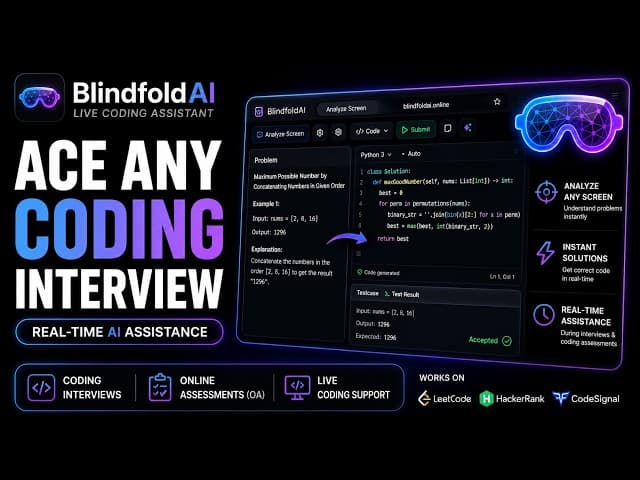
Securely scans your active screen in real-time. Whether it's a LeetCode problem or a technical architecture diagram, the AI understands your exact context to give you the perfect answers instantly.
Built-In AI vs Bring Your Own Key
Choose our blazing-fast, zero-setup Built-In AI for immediate answers, or securely connect your own API Keys (OpenAI, Anthropic, Gemini) for ultimate control and 100% data privacy. The choice is yours.
Multiple Languages
Interviewing globally? Chat with Blindfold AI in your chosen language and get contextual assistance seamlessly.
Real-Time Audio Transcription
Flawlessly transcribe the interviewer's voice in real-time by natively capturing system audio. The AI reads the live transcript alongside your screen, feeding you the exact answers you need to ace behavioral and technical questions.
Refer & Earn
Invite friends and colleagues to use Blindfold AI and earn direct rewards for every successful subscription. Plus, your friends get an exclusive discount.
Custom Prompts
Inject custom system prompts to tailor the AI's exact behavior. Tell it to act like a senior engineer, format responses as bullet points, or strictly output Python code.
AI Resume Context
Save your resume profile in the app. The AI will automatically cross-reference your past experience to answer behavioral questions using your actual background.
Localized Chat History
Review your past interview transcripts and AI answers instantly. All history is securely encrypted and stored entirely on your local machine, never on our servers.
Built for High-Stakes Professionals
Whether you are coding algorithms live or answering complex behavioral questions, Blindfold AI is the ultimate unfair advantage.
Software Engineers
Instantly understand complex Leetcode questions. Get step-by-step pseudo-code, time/space complexity breakdowns, and hints to unblock you during live technical screens.
Product Managers & Data Scientists
Nail system design and analytical questions. The AI captures the exact context of the prompt and feeds you structured frameworks, SQL snippets, and key metrics to mention.
Three steps to interview success
Clean, simple setup. Never freeze on a question again.
1
Configure AI
Enter your preferred API key (OpenAI, Anthropic, Gemini, or local models like Ollama) in the desktop app.
2
Join Interview
Join your Google Meet, Zoom, or Teams call normally. Blindfold AI securely analyzes your screen context locally.
3
Dominate
Chat discreetly with the AI in your invisible overlay while maintaining perfect eye contact.
Simple, Transparent Pricing
Choose the plan that fits your preparation timeline. Upgrade, downgrade, or cancel anytime.
Free
Test the waters with limited free messages per session.
No. Blindfold AI operates invisibly at the system level and is designed to be completely undetectable by proctoring software, screen-sharing tools, and recording software.
Why is it visible when I share my screen?
If you're using Zoom, update to the latest version and enable "Advanced capture with window filtering" in your Zoom settings. This ensures Blindfold AI stays hidden during screen sharing.
Does it support coding interviews?
Yes. Blindfold AI offers full coding interview support, including code suggestions, algorithmic breakdowns, and explanations based on the context of your screen.